
Use the Overview tab to see all the pages from the space, their assigned registries, their expiration date, and their review status.
How to find the space Overview
-
Go to the space you’ll use the QC Documents app.
-
Click the three dots next to the space name and select Space settings.
-
In the left list, open the Integrations menu.
-
Click QC Documents.
-
Stay on the Overview tab
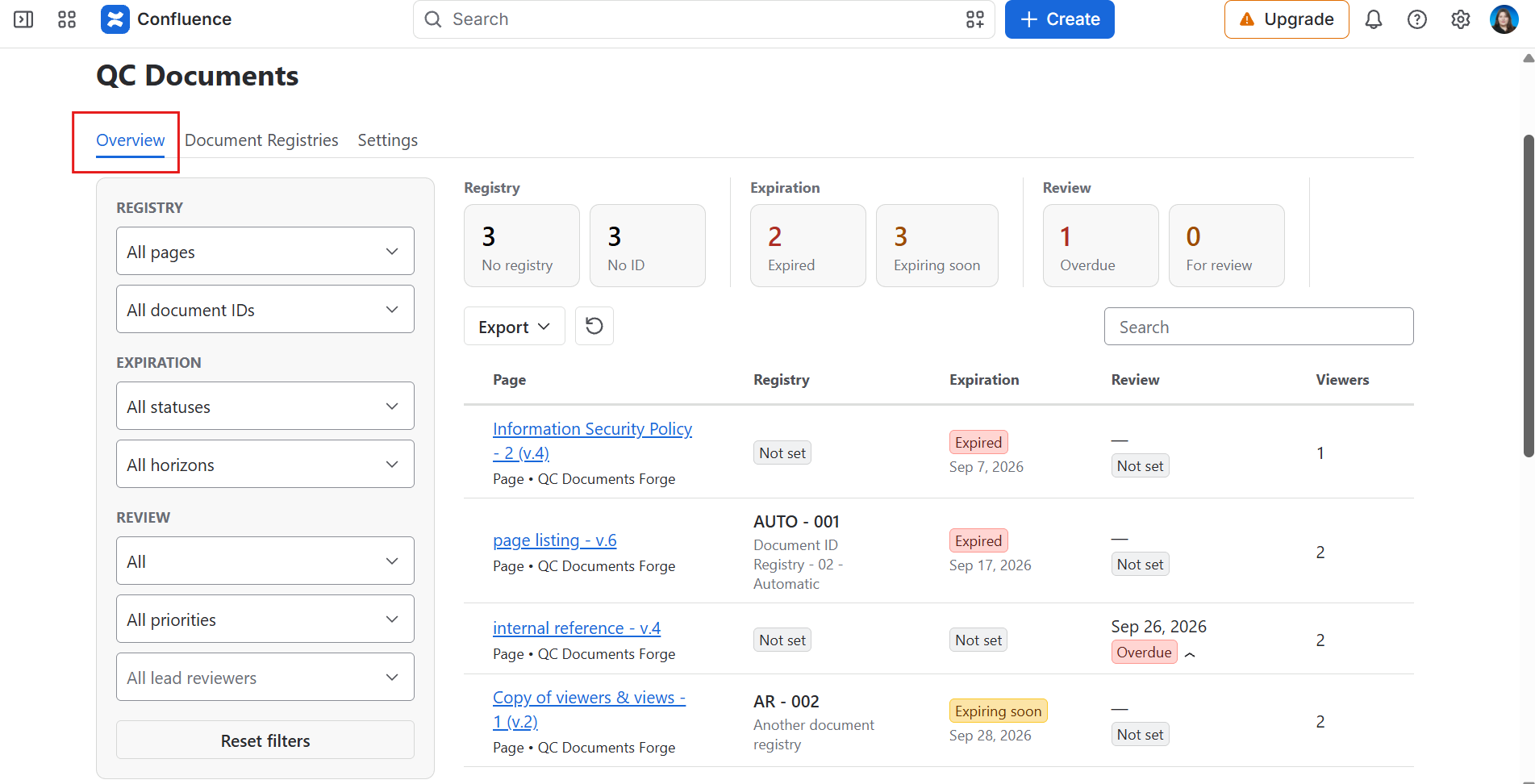
How to use the space Overview
Filter the table using the left-side options:
-
Registry: Choose whether you want to display all pages from the space, pages from a specific registry, or pages that don’t belong to any registry.
-
Expiration: See which pages are expired, expiring soon, still active, or don’t have an expiration date at all.
-
Review: Filter the pages based on their review status, their priority, or the lead reviewers.