We are upgrading the underlying platform of our QC Documents app from Atlassian Connect to Atlassian Forge. This update ensures better data security, compliance with Atlassian Cloud standards, and improved reliability.
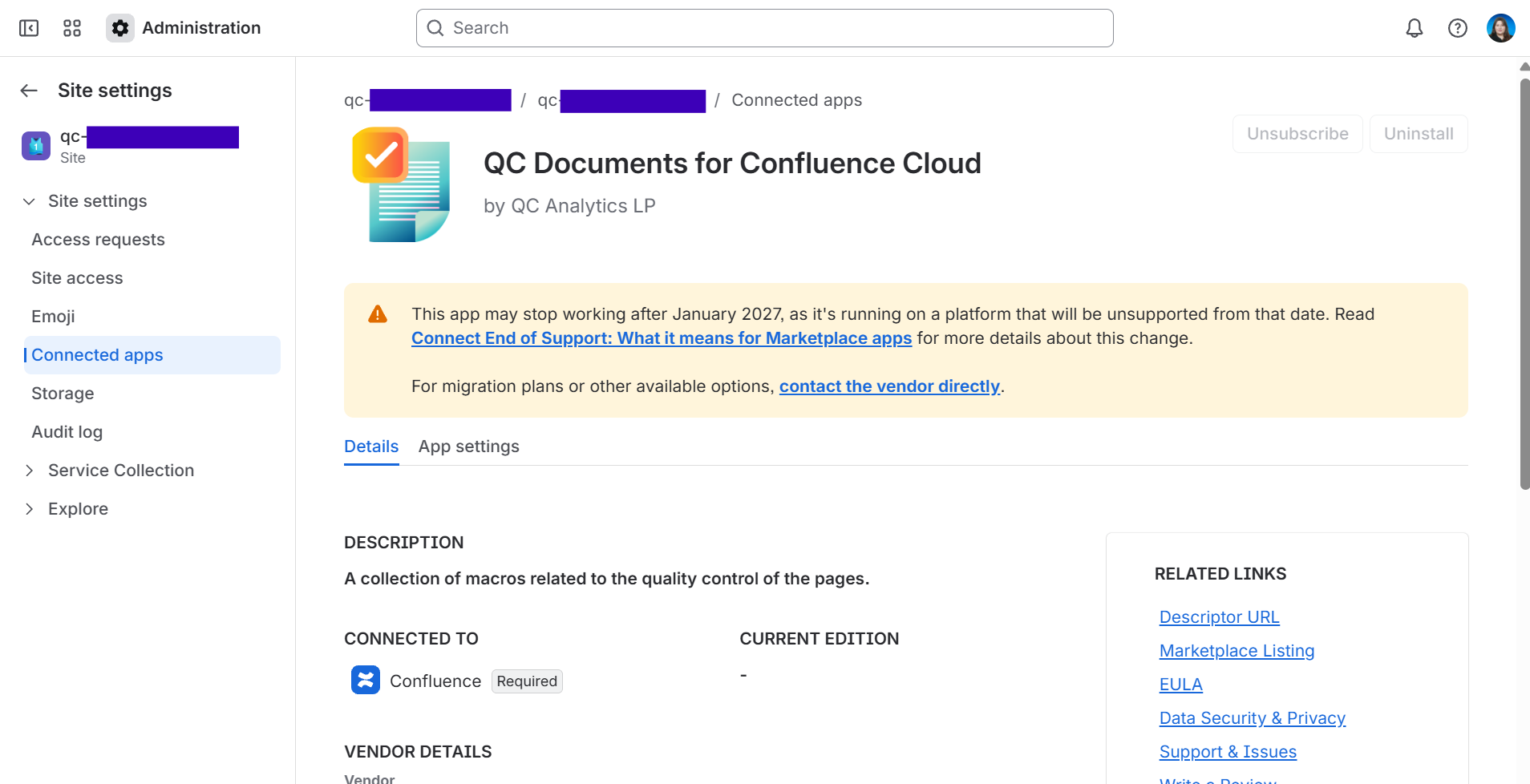
During the migration process, you will encounter a “This app may stop working after January 20217” message in your Confluence instance’s Manage Apps menu. Despite this message, the app will continue working after January 2027, and no data will be lost.
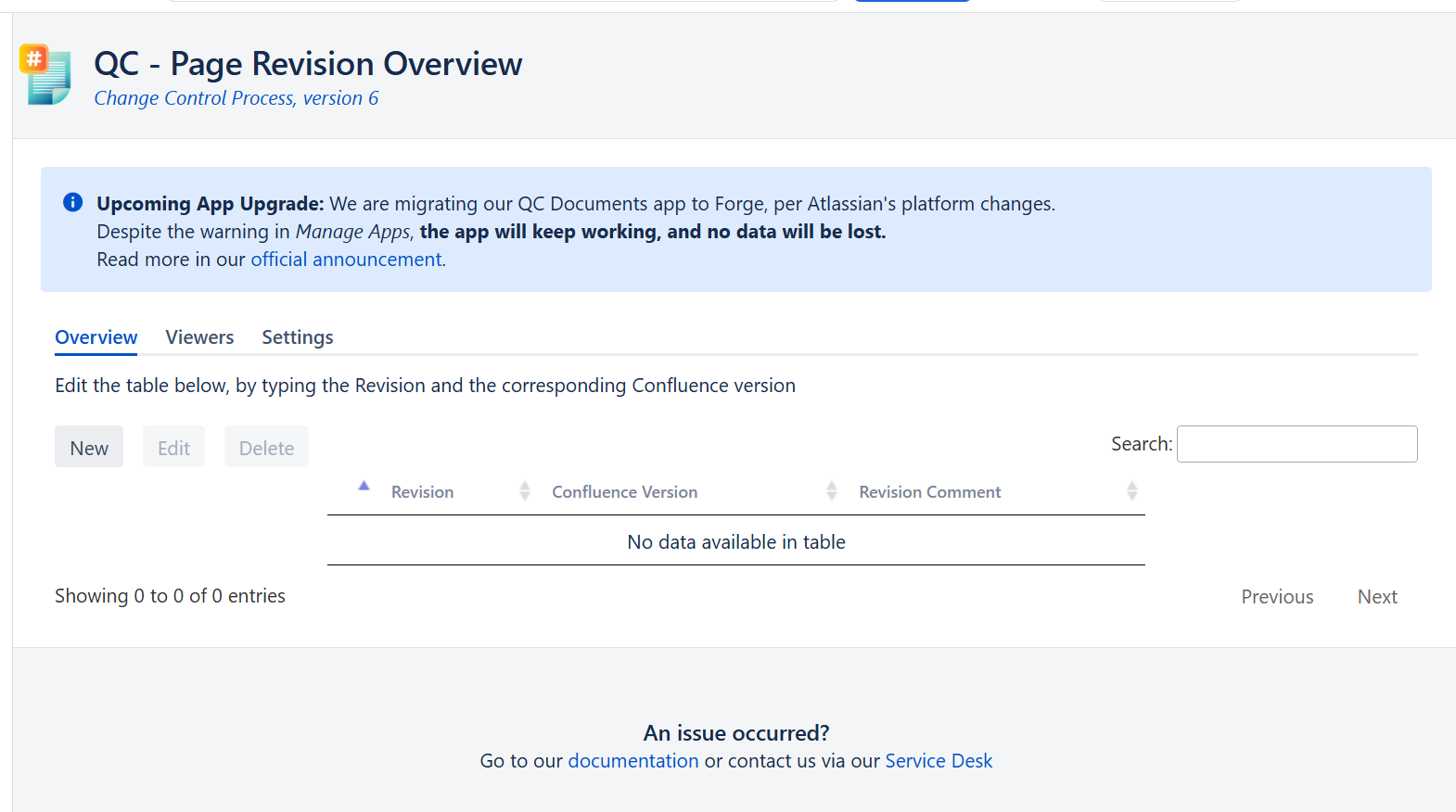
You will also see an “Upcoming App Upgrade” message in QC - Page Revision Overview and QC Documents Space Settings, informing you about the upgrade.
Upgrade Timeline
October 05, 2026 - The Forge migration is now complete!
As of Monday , the QC Documents app has been officially migrated to Forge, and the new version (v.2.5.0) is available for installation.
Site admins can now update to the app’s latest version by following the steps defined in the How to Complete the Upgrade paragraph below.
We recommend upgrading to version 2.5.0 at your earliest convenience to enjoy the QC Documents enhanced experience.
Our team is here to help! If you need any assistance with the update or have any questions you want to ask, please contact us at support@qc-analytics.com.
October 02, 2026 - Status Updated
According to Atlassian, their functionality review process typically requires 10 business days to complete. However, we’ve been informed that due to high submission numbers, their times may be longer than usual.
September 29, 2026 - Original Announcement
We have officially started the migration process!
We will keep this page updated with new information as we progress. Admins will also see an automated update notification directly within the Atlassian Administration (Manage Apps) console once the new Forge-powered version (v.2.0.0) is officially available for installation.
Atlassian is phasing out the Connect framework over a multi-stage process, leading to full End of Support in Q4 2026. To stay ahead of these updates and avoid any disruption to your day-to-day process, we are completing our transition before Q4 2026.
Please note that we will continue to maintain and support the current Connect version for as long as it remains in our hands to do so. However, no new features will be added to the Connect app, and Atlassian will eventually end platform support for it entirely. For these reasons, we strongly recommend that all customers update to the Forge version once it becomes available.
When the new version (2.0.0) is released, Site Administrators will be able to update the app directly from the Administration settings menu as mentioned in the “How to Complete the Upgrade” section below.
Why We’re Making This Update
We are migrating our QC Documents app’s framework because Atlassian has officially announced the End of Support for Atlassian Connect. As Atlassian transitions all Cloud apps to Forge to enhance native security and infrastructure standards, Connect apps will no longer receive any new feature additions or long-term maintenance. With this migration, we ensure our app remains fully supported, compliant, and continuously updated according to Atlassian’s latest changes.
Most importantly, this migration guarantees that we can keep helping and providing the support that you need when using the QC Documents app. Rest assured, your data stays completely safe, and everything is still working fine.
What We Changed
While most of the functionality remains identical, this update introduces several enhancements and aligns interactions with Forge standards. Please note that no data will be lost during this transition. To complete the upgrade, site admins will need to perform a manual update by following the steps in the “How to Complete the Upgrade” section below.
Feature Continuity & Enhancements
We want to reassure our users that no existing features have been removed in this update, and every functionality you rely on in the current version remains fully available. We have simply made minor changes to align specific workflows with Atlassian’s native Forge interactions, while also introducing brand-new features to enhance usability and overall app performance.
Major Changes
|
Feature/Area |
Previous versions (Connect) |
Versions from 2.0.0 and higher (Forge) |
|---|---|---|
|
Expiration Date Management |
Expiration date was set via the editable QC - Expiration Date macro. |
The Expiration Date is now set directly in the QC Documents - Page Overview, and the QC - Expiration Date macro is now view-only. |
Minor Changes
|
Feature/Area |
Previous versions (Connect) |
Versions from 2.0.0 and higher (Forge) |
|---|---|---|
|
Location change for QC Documents - Space Settings |
Users had to navigate to: Space settings → App links → QC Documents |
Users will have to navigate to: Space settings → Integrations→ QC Documents → Settings |
|
QC - Internal Reference macro |
The macro used to display URLs for the referenced pages. |
Now displays page titles instead of full URL links. |
|
QC - Citations Table macro |
Used to have a space selection filter to return pages from those spaces. |
Includes new configuration options allowing you to include pages from specific spaces or exclude pages from certain spaces. |
New Features
|
Feature |
Description |
|---|---|
|
Document Registries |
Introduced Document Registries, allowing users to assign their own custom IDs to pages. 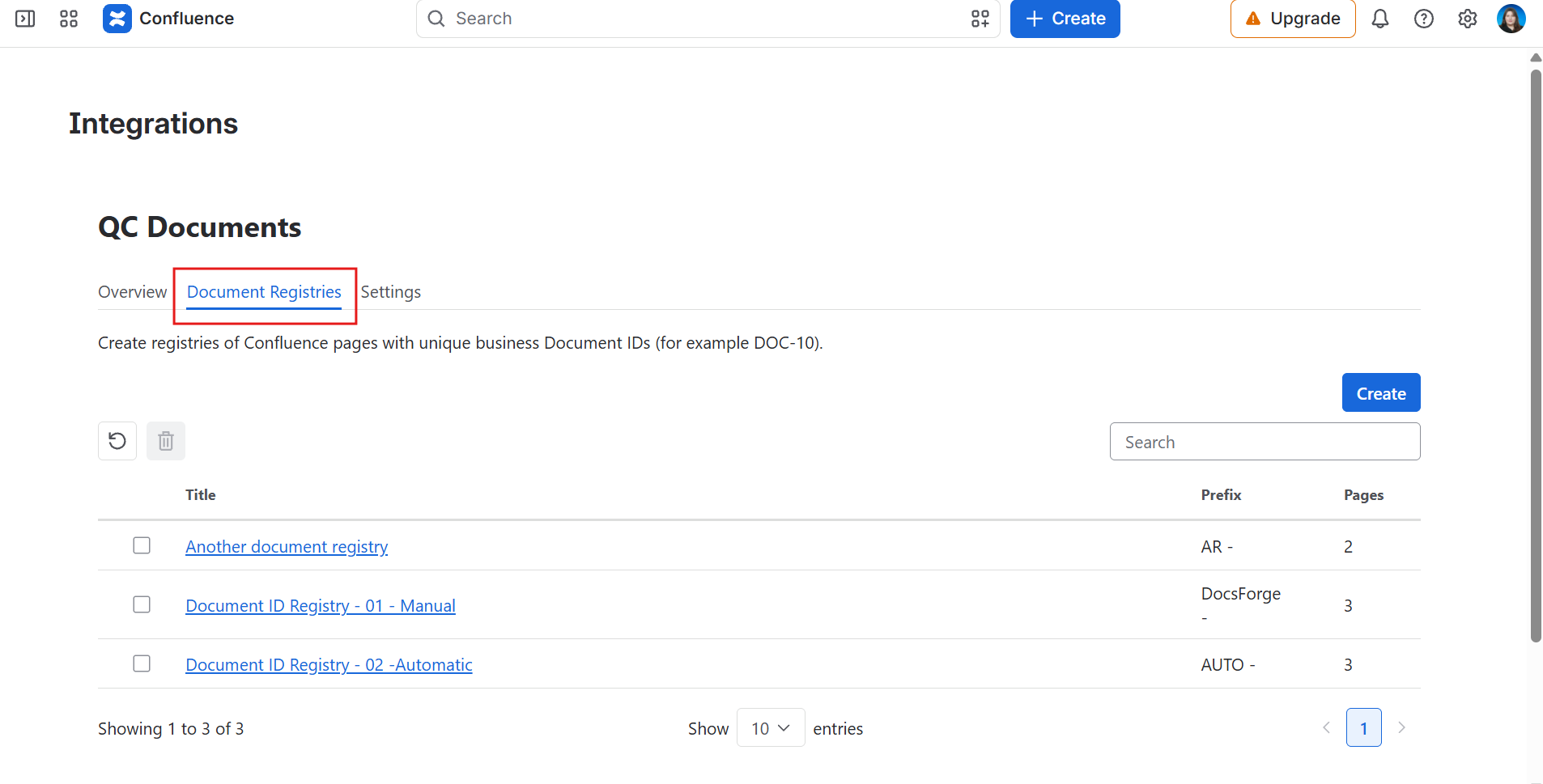
|
|
Space Overview |
Added a comprehensive Space Overview displaying all pages within a space. 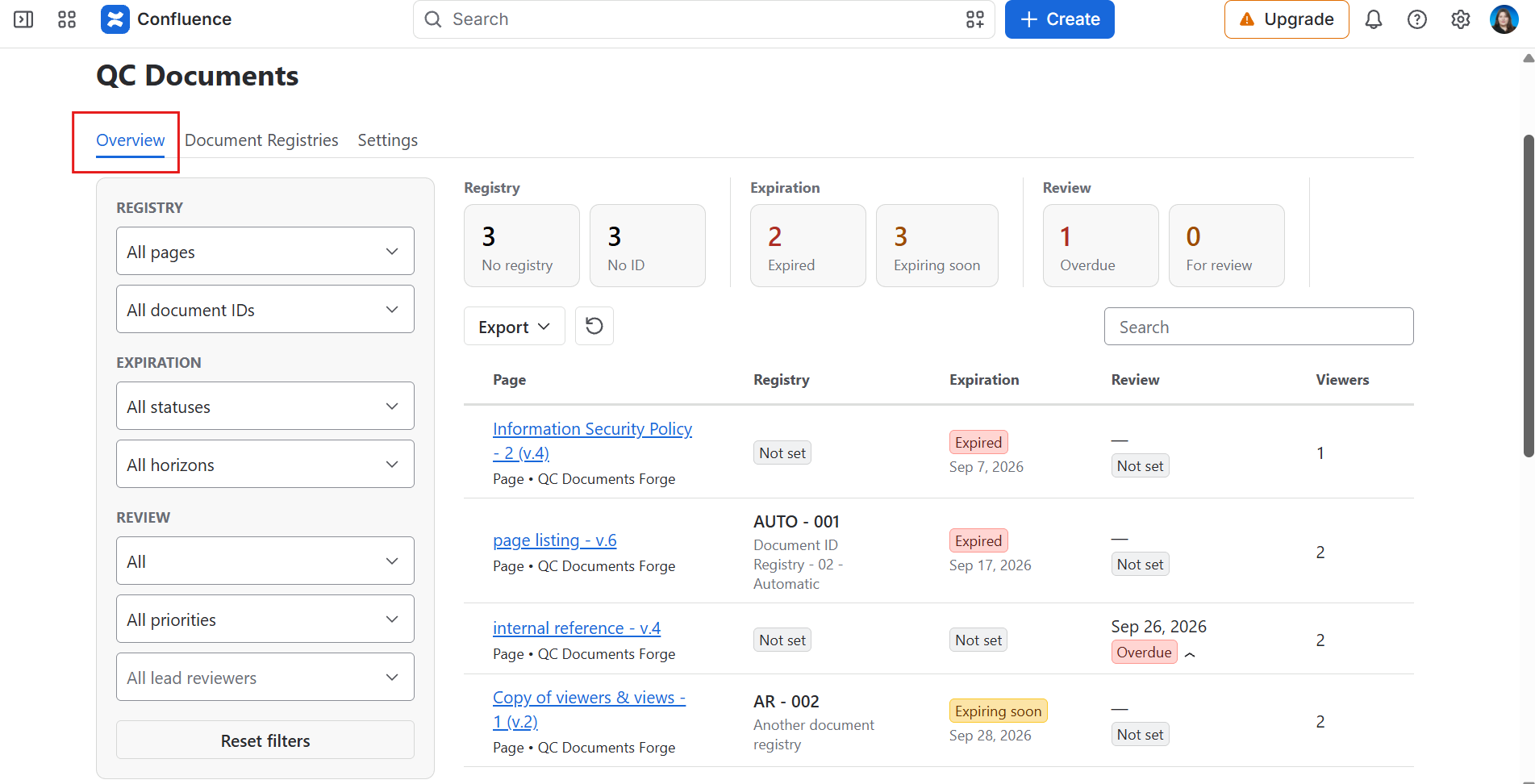
|
|
Page Reviews |
Added Page Reviews functionality inside the QC Documents - Page Overview. |
|
QC - Page QR Code macro |
Generates a QR code for quick page access. 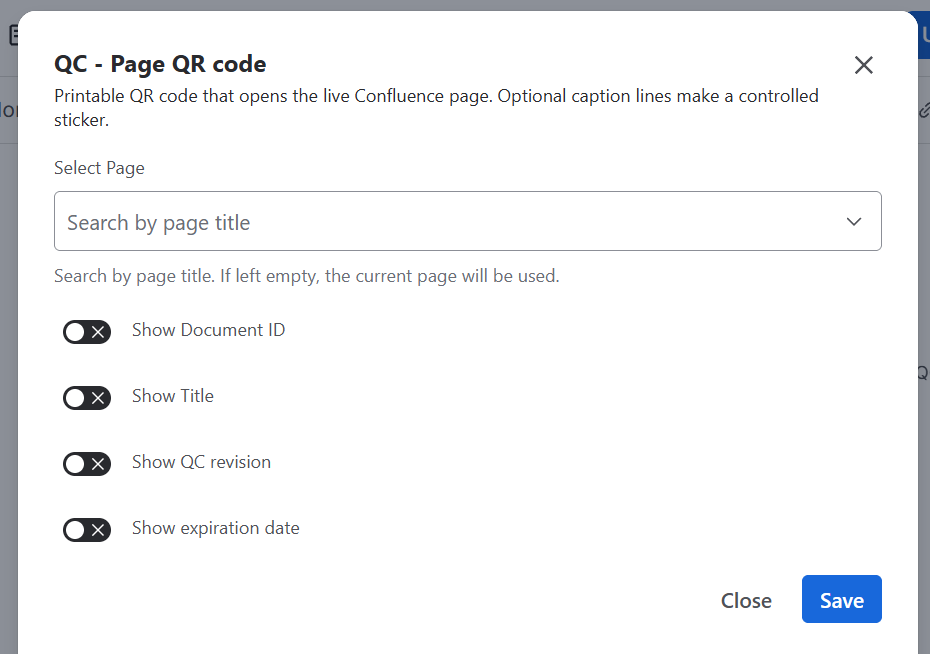
|
|
QC - Mermaid Diagram macro |
Enables rendering of Mermaid diagrams directly on Confluence pages. 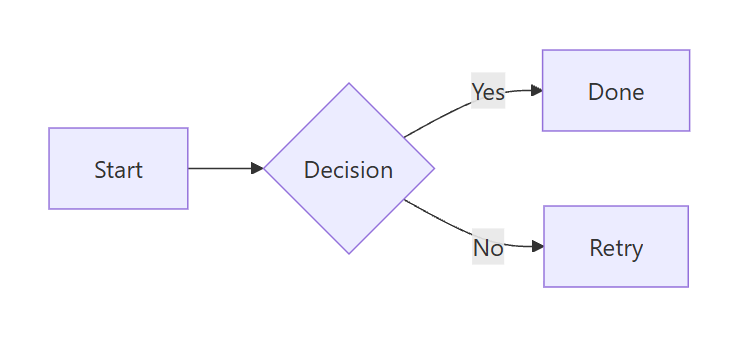
|
How to Complete the Upgrade
To complete the upgrade to the Forge version, a Site Admin must update the app manually by following the steps below:
-
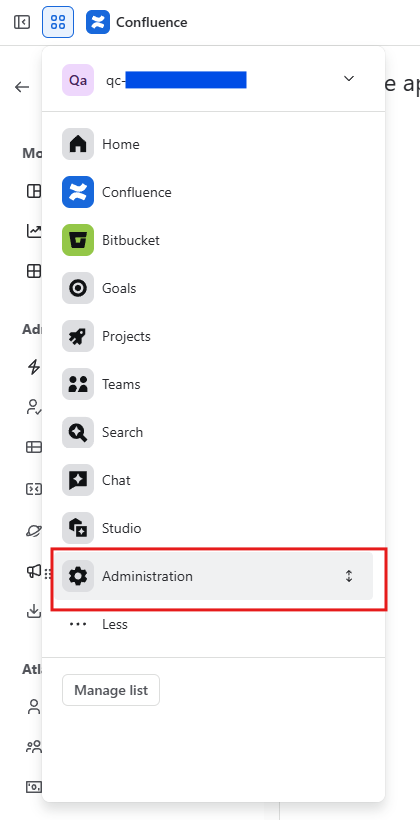
Go to Administration (from the top left menu).
-
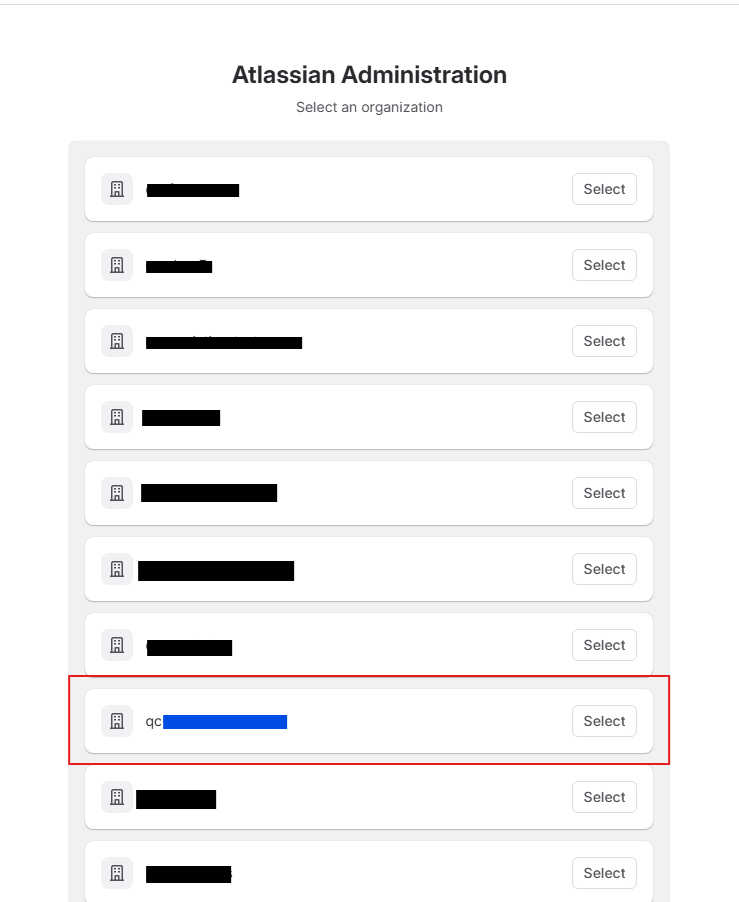
Find the site where you have installed the QC Documents app (if you have more than 1 site) and click Select.
-
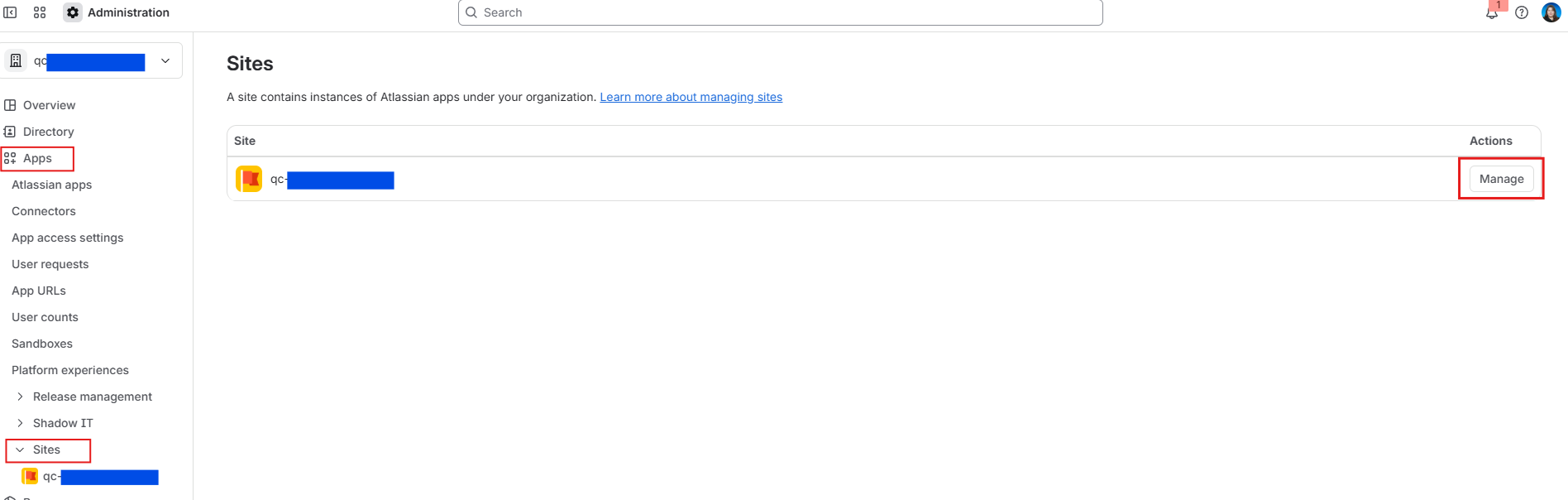
Navigate to the Apps option on the left sidebar, open the Sites menu, and click Manage.
-
Navigate to Connected apps, find QC Documents for Confluence Cloud, and click Update.
You will be prompted to review and approve the updated Forge permissions required for the new platform architecture. Once you accept the permissions and confirm, the update will finish automatically, and all of your existing data and settings will stay completely intact, with no additional configuration needed.
Support
If you have any questions or concerns regarding this migration, we are here to help every step of the way.
You can reach out to our team directly from our Service Desk portal to submit a ticket, or schedule a 1-on-1 Zoom call with us to discuss your setup and address any questions you might have.
How to Contact Us
-
Send us an email to support@qc-analytics.com
-
Schedule a Zoom meeting. Our team is available every Monday to Friday from 09:00 AM to 05:00 PM, EEST, excluding Greek Public Holidays.
-
Raise a Service Desk ticket.