
Option A — from inside Confluence
-
Open your Confluence site in a browser and sign in.
-
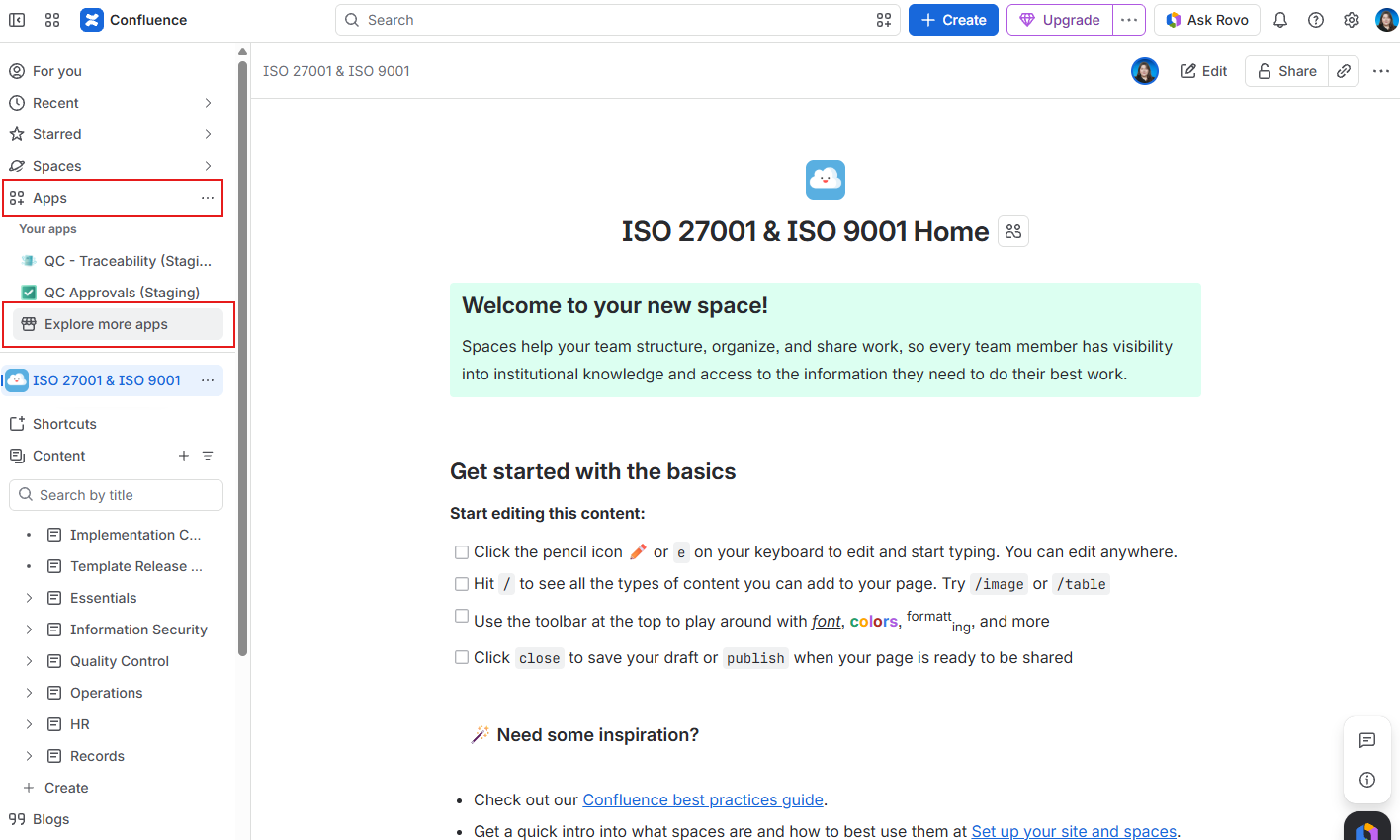
In the left sidebar, click Apps.
-
Click Explore more apps.
-
In the search box, type QC Documents.
-
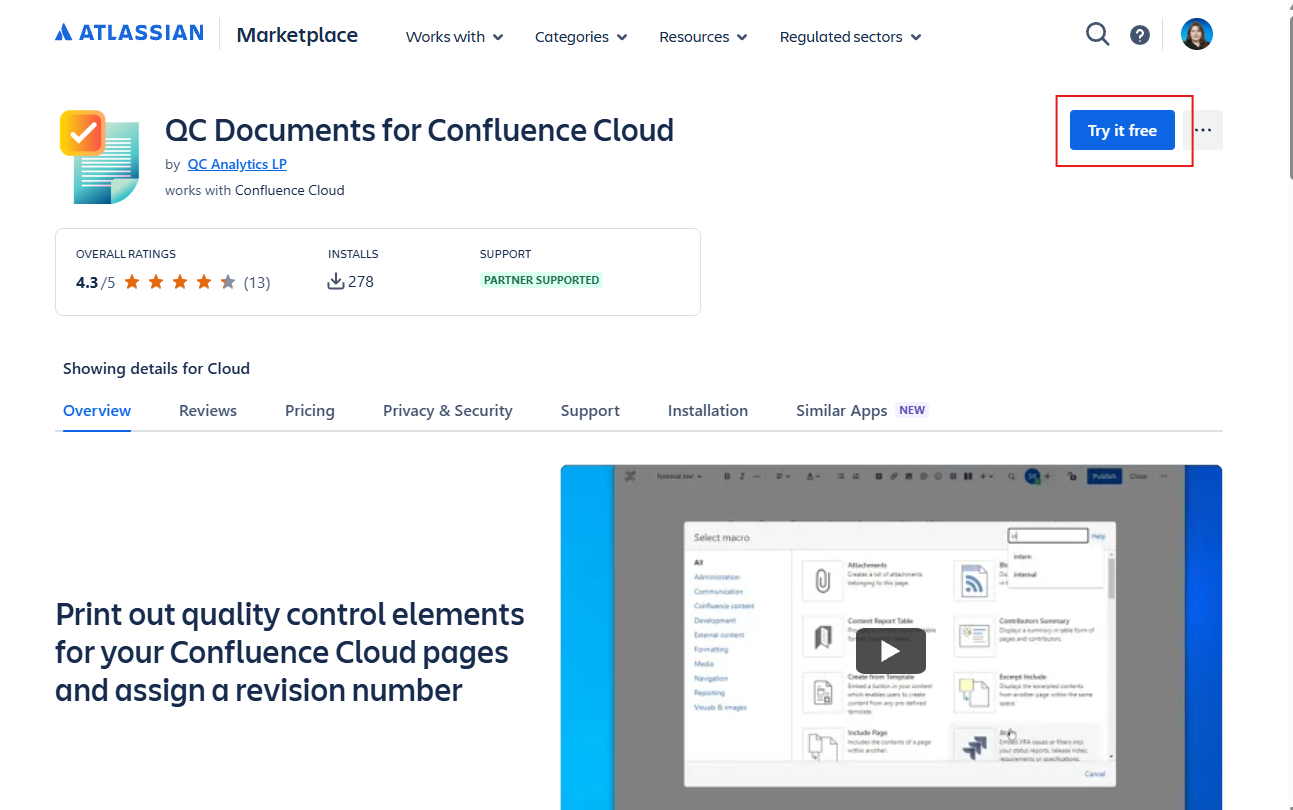
Open the listing QC Documents for Confluence Cloud.
-
Click Try it free (or Get it now if your site already has a license).
-
Choose this Confluence site if you are asked.
-
When Confluence asks you to review app permissions, read them and accept to finish the installation.
Option B — from the Marketplace
-
Open the Atlassian Marketplace.
-
Search for QC Documents.
-
Click Try it free.
-
Select your Confluence Cloud site.