Open Site Overview
-
In the Confluence left sidebar, click Apps.
-
Click QC R&U - Global.
-
Click Site Overview.
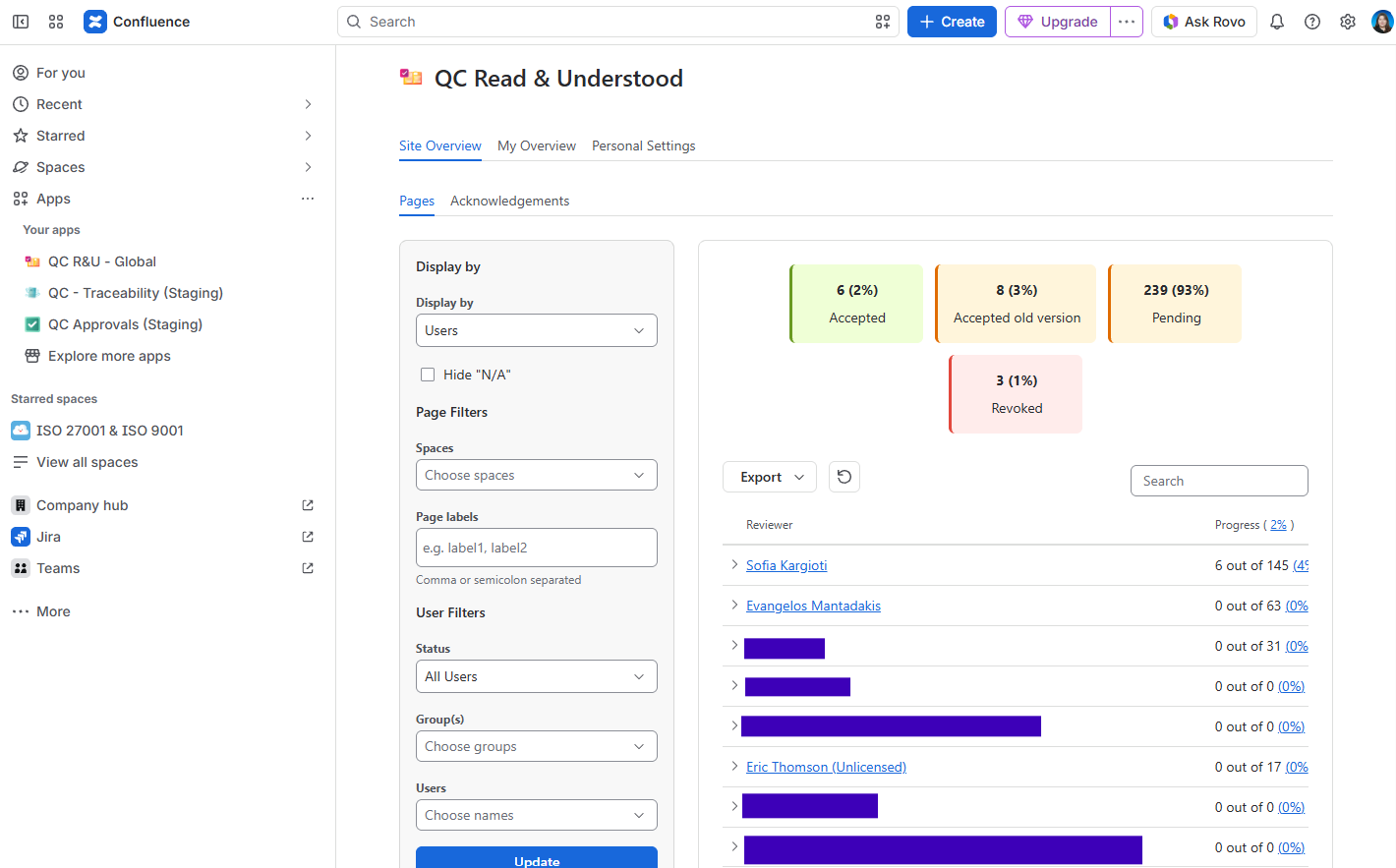
You should see: The same kind of layout as My Overview, but for the site: Display by (By Page / By Acknowledgement), space and label filters, status counts, table, export.
If you see Access denied, you are not in an allowed group. Ask a site admin.
Filters worth knowing
-
User Status: all users, only active, or only unlicensed. Click the left Sync (or Reload) after you change it.
-
Status on the table: Accepted, Accepted older version, Pending, Revoked, Not assigned.
-
Export: main table or full list (parents and children), CSV or Excel. There is no PDF download on this table.
This tab stays in English even when a space uses another language.
To see your personal list of pages, navigate to the My Overview tab: https://support.qc-analytics.com/qc-read-and-understood-for-confluence-cloud/see-my-pages-qc-r-u-my-overview