
The app is missing from space permissions.
-
Open the space and click the three dots next to its name
-
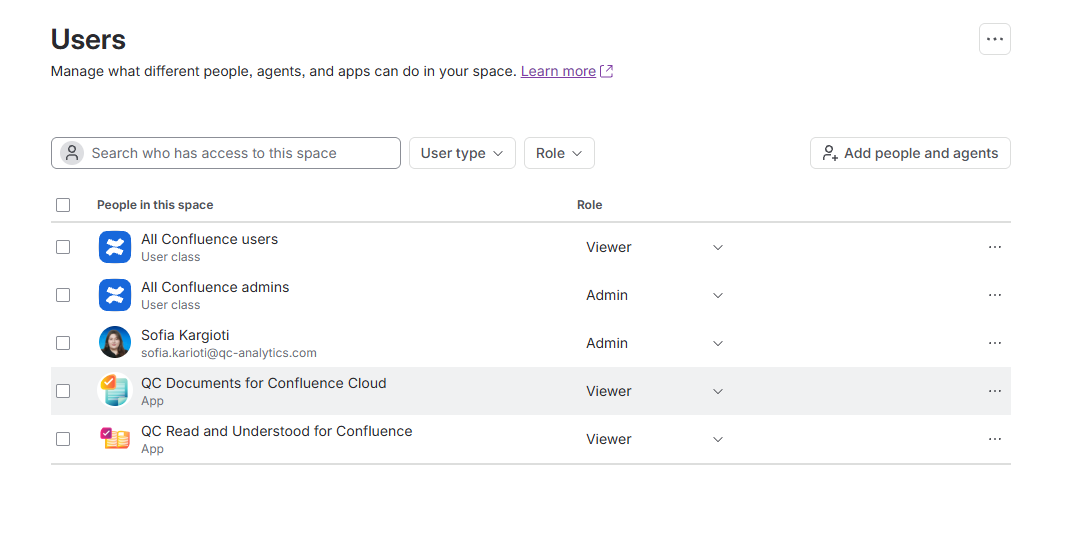
Select Space settings, and from the left sidebar, click on Users
-
Find the QC Documents app, click the three dots, and select Manage access
-
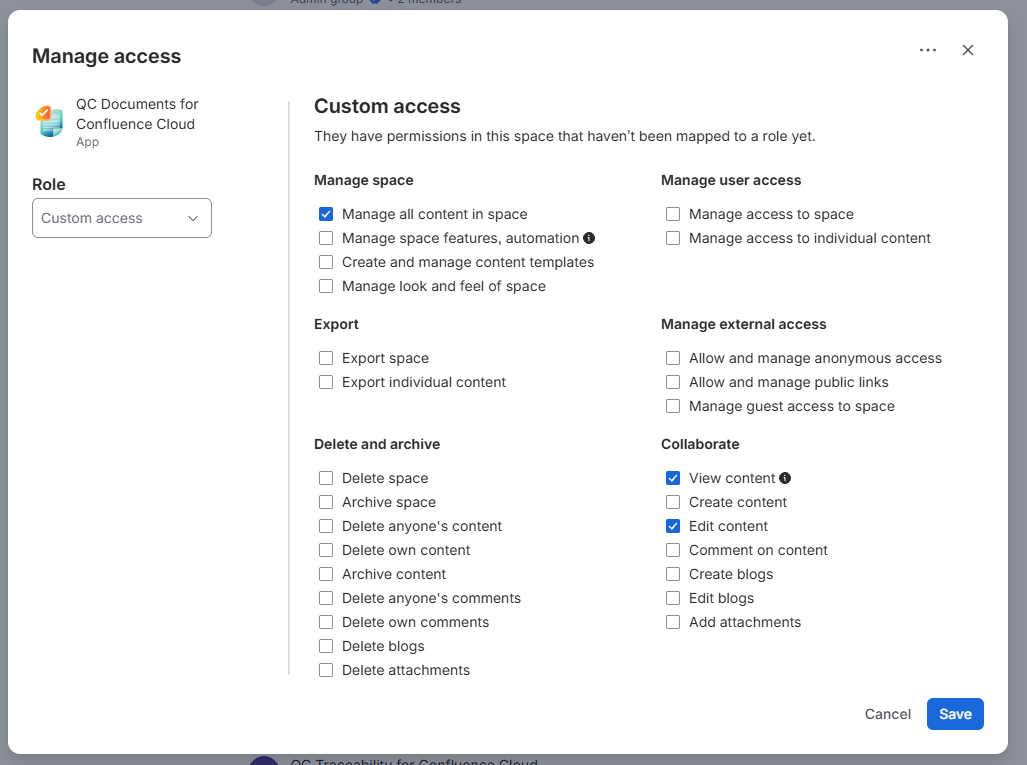
The QC Documents app should have at least the “Viewer” role or the following space permissions to work correctly:
-
Manage all content in space
-
View content
-
Edit content
-
-
Click Save.
Once you grant the app the necessary permissions, the byline and the QC Documents - Page Overview should load without any permission errors.