
Training records show who confirmed which page. Analytics summarizes how the program is performing (completion rate, speed, deadlines). Bring both.
Open Analytics
-
Open the space in the Confluence left sidebar.
-
Open Space settings
-
In the left list, click Integrations.
-
Click QC R&U - Space Settings.
-
Click the Analytics tab
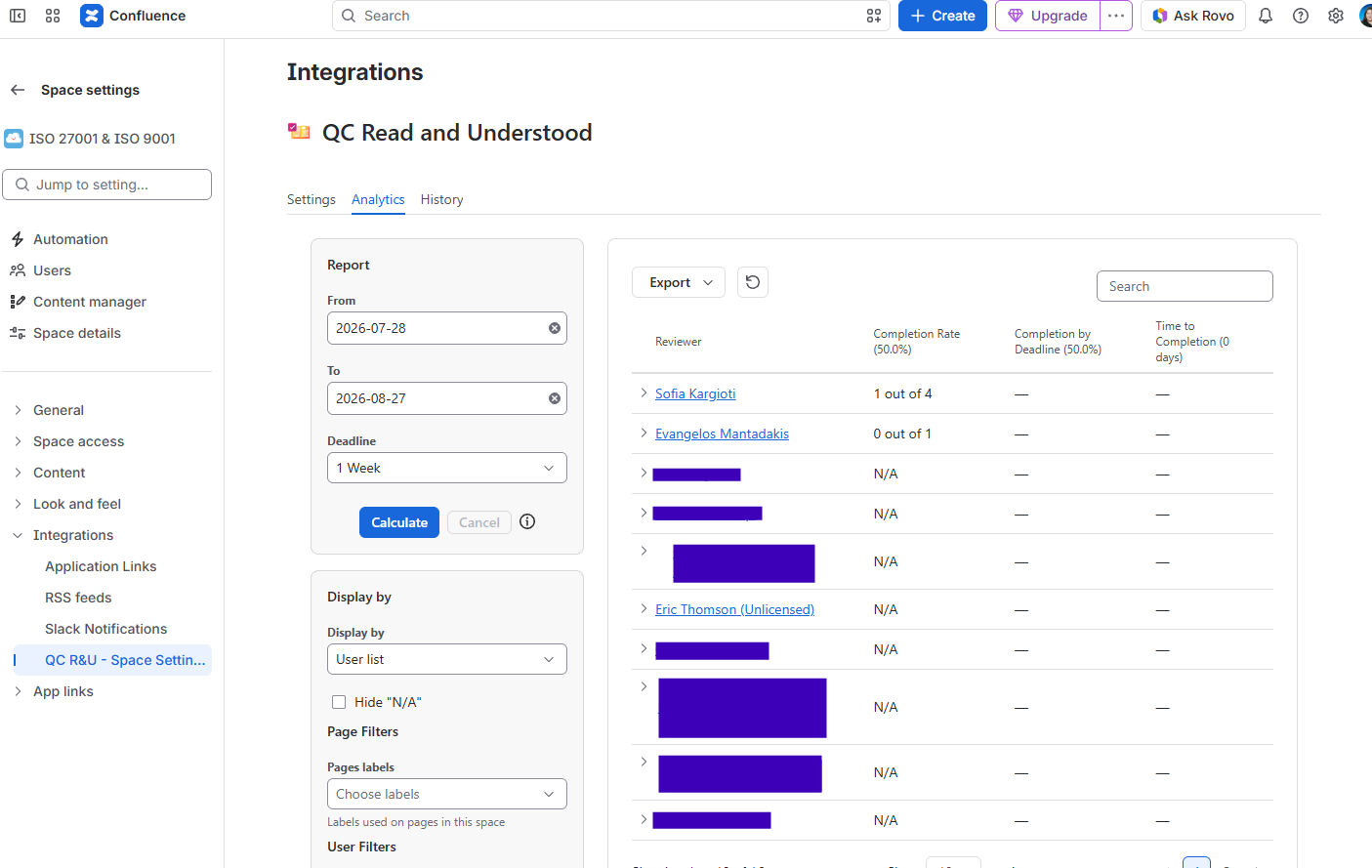
You should see: Filters (including Display by Users or Pages), a Time Range, a Deadline, and Calculate.
Calculate the KPIs
-
Set Time Range to the period the meeting covers (for example the last quarter).
-
Set Deadline to the number of weeks you treat as “on time” for that program.
-
Click Calculate. Wait until it finishes.
-
Read the header figures:
|
KPI |
What to say in the meeting |
|---|---|
|
Completion rate |
Share of assigned R&U work that is done in the period. |
|
Completion by deadline |
Share finished within the deadline you set. Low numbers mean chasing or content problems. |
|
Time to completion |
How long people take to confirm. Long times can mean pages they cannot find, or assignment of the wrong roles. |
-
Use Display by Users vs Pages if you need to discuss a person or a document.
-
Export the table if the minutes need an attachment.
You should see: The three KPIs filled in after Calculate, not empty placeholders.
What else to take to the meeting
-
Export of Pending and Accepted older version from training records — the action list.
-
Whether reminders ran (automated reminders).
ISO standards that commonly ask for competence / training evidence include ISO 27001, ISO 9001, and ISO 13485. The blog below lists example clauses. The app does not “tick the clause” by itself; the export is the evidence.